Open Enrollment 2026
2026 Benefits Open Enrollment is an active enrollment, so every eligible U.S. employee must select or decline coverage options in Workday. Enrollment opens on November 5, and employees must complete all actions before 11:59 p.m. MT on November 21 to ensure their preferred coverage selections start January 1, 2026.
What's New for 2026?
List of Services
-
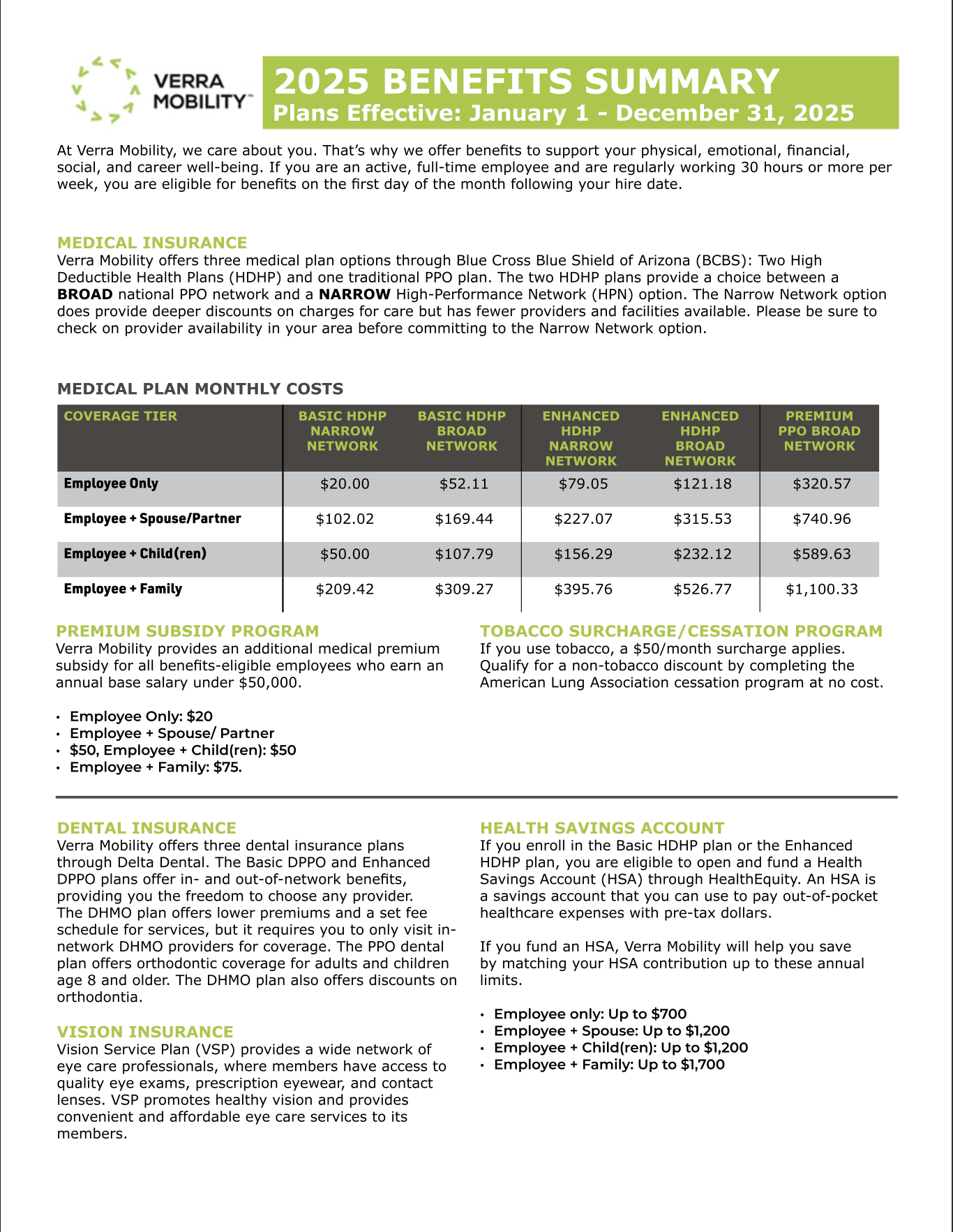
View/Download the 2026 Benefits Summary
For a quick highlights document, download the 2026 Benefit Summary
-
Medical Plan Changes and CostsList Item 1
- Medical plan changes: The Enhanced HDHP has some changes for 2026. The out-of-pocket maximum has increased and the cost of In-network medical services has changed to a copay schedule once the deductible has been met.
- Medical plan costs: All medical plan costs are adjusted for the 2026 plan year.
-
Allstate Identity Theft
The Allstate Identity Theft plan is now a voluntary plan that you can elect to enroll in.
-
2026 Benefits GuideList Item 3
2026 Benefits Guide
open enrollment meeting Recording:


Benefit Resource center
- Insurance Claims, Problems, or Issues
- Benefit Plan Information
- Materials and Documents
- Guidance on How to Best Use One of Our Benefit Plans
What Is Open Enrollment?
Open enrollment is the one time each year when you can make changes to your current benefit elections or select new ones, unless you experience a
Qualifying Life Event.
- Login to Workday
- Go to your task inbox
- Click on the benefit enrollment task ‘Let’s Get Started’ button
- Complete your elections and add your dependents and beneficiaries
- Finalize and submit your enrollment
For more details on how to navigate your benefits in Workday, search for the applicable job aid in Workday’s Help Article Workspace.
What Should You Do?
During the open enrollment period, you will need to start by logging into Workday.
- Review your current elections.
- Login to the Nayya decision tool and model your choices to achieve the best fit for you and your family.
- In Workday, re-enroll or change your current elections, including adding or removing dependents.
- ACTION REQUIRED: current elections will not rollover from 2025 to 2026.
4. Click "Submit" to finalize your changes
Not Sure? Go to the Nayya Decision tool!
What Are Important Considerations?
- Be sure to check and update your life insurance beneficiaries.
- Double check the spelling of each family member's name and ensure the dates of birth are correct as well
- Calculate your total plan costs



Benefit Decision Tool